A slow WooCommerce store is a leaking bucket — every extra second of load time costs you customers, conversions, and search rankings. Studies show a 100ms delay can reduce conversion rates by 7%, and Google now uses Core Web Vitals as a direct ranking factor.
The good news? You don’t always need an expensive plugin to fix this. A well-placed PHP snippet in your functions.php file — or added via a code snippets plugin — can dramatically cut your load time.
In this guide, we share 10 battle-tested WooCommerce speed optimization snippets you can implement today, each targeting a specific performance bottleneck.
Before you start: Always test snippets on a staging site first. Back up your database and files. We recommend using the Code Snippets Pro plugin to manage these safely without editing
functions.phpdirectly.
Why WooCommerce Stores Are Slow
WooCommerce sites have an average Time to Last Byte (TTLB) of 1,782ms — more than double the 848ms average of non-WooCommerce sites. The culprits are usually:
- Excessive plugin scripts loading on every page
- WooCommerce’s built-in scripts loading where they’re not needed
- Unoptimized database queries
- The WordPress Heartbeat API firing too often
- Redundant CSS and JavaScript assets
The snippets below target each of these areas directly.
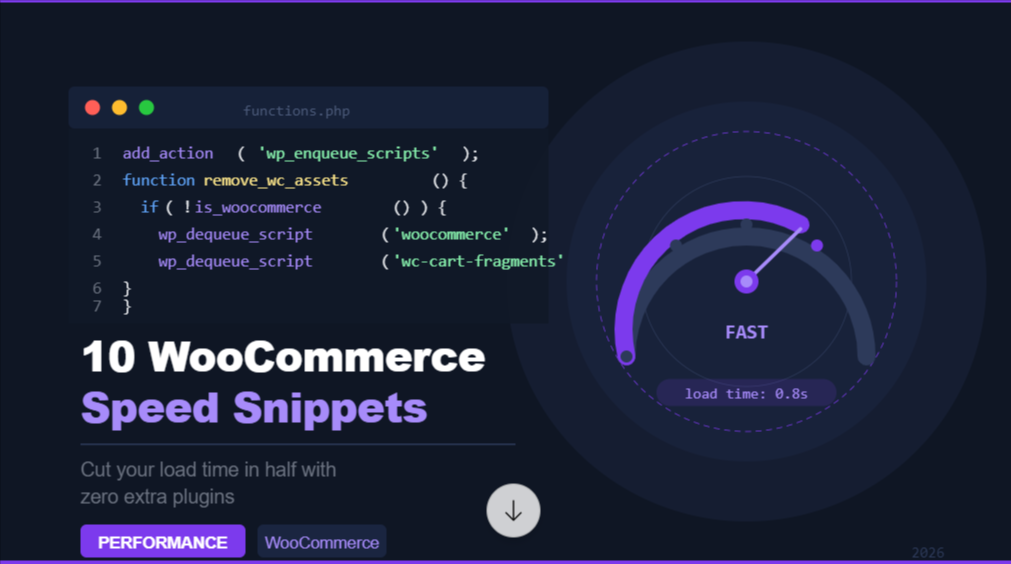
Snippet 1: Remove WooCommerce Scripts on Non-Shop Pages
WooCommerce loads its CSS and JS on every page by default — even your blog posts and contact page. This wastes bandwidth and slows down pages that don’t need it.
php
add_action( 'wp_enqueue_scripts', 'remove_woocommerce_assets_non_shop', 99 );
function remove_woocommerce_assets_non_shop() {
    if ( ! is_woocommerce() && ! is_cart() && ! is_checkout() ) {
        wp_dequeue_style( 'woocommerce-general' );
        wp_dequeue_style( 'woocommerce-layout' );
        wp_dequeue_style( 'woocommerce-smallscreen' );
        wp_dequeue_script( 'woocommerce' );
        wp_dequeue_script( 'wc-cart-fragments' );
        wp_dequeue_script( 'wc-add-to-cart' );
    }
}
Impact: Reduces page size by 50–150KB on non-shop pages. Noticeable improvement in blog and landing page speeds.
Snippet 2: Disable the Cart Fragments Script
The wc-cart-fragments script updates your cart total in real time via AJAX. It fires a request every time a page loads — even when the cart is empty. This alone can add 300–500ms to your load time.
add_action( 'wp_enqueue_scripts', 'disable_wc_cart_fragments', 11 );
function disable_wc_cart_fragments() {
    if ( ! is_cart() && ! is_checkout() ) {
        wp_dequeue_script( 'wc-cart-fragments' );
    }
}
Note: This removes the live cart count update on the header icon. If your theme requires this, consider a caching-compatible workaround instead.
Impact: One of the single biggest quick wins. Expect a 200–400ms reduction in TTFB on most setups.
Snippet 3: Limit WordPress Post Revisions
Every time you save a product or post, WordPress stores a full revision. Over time, these stack up, bloat your database, and slow down backend queries.
// Add this to wp-config.php — not functions.php
define( 'WP_POST_REVISIONS', 3 );
For functions.php, use this approach to retroactively clean existing revisions:
add_action( 'admin_init', 'limit_revisions_cleanup' );
function limit_revisions_cleanup() {
    global $wpdb;
    $wpdb->query(
        "DELETE FROM $wpdb->posts WHERE post_type = 'revision'
         AND post_date < DATE_SUB(NOW(), INTERVAL 30 DAY)"
    );
}
Impact: Can reduce database size by 20–40% on mature stores, noticeably improving admin and query performance.
Snippet 4: Reduce the Heartbeat API Frequency
The WordPress Heartbeat API sends an AJAX request to the server every 15–60 seconds to power autosave and multi-author locking. On WooCommerce stores with high traffic, this adds unnecessary server load.
add_filter( 'heartbeat_settings', 'optimize_heartbeat_settings' );
function optimize_heartbeat_settings( $settings ) {
    $settings['interval'] = 60; // Change from 15s to 60s
    return $settings;
}

// Disable completely on front end
add_action( 'init', 'stop_heartbeat_frontend', 1 );
function stop_heartbeat_frontend() {
    if ( ! is_admin() ) {
        wp_deregister_script( 'heartbeat' );
    }
}
Impact: Reduces server AJAX load significantly on high-traffic stores, freeing up PHP workers for real customer requests.
Snippet 5: Enable WooCommerce Transient Caching for Product Queries
WooCommerce runs complex database queries to fetch product data. Adding a transient cache wrapper means repeat queries are served from memory, not the database.
function get_cached_featured_products( $limit = 8 ) {
    $cache_key = 'featured_products_' . $limit;
    $products  = get_transient( $cache_key );

    if ( false === $products ) {
        $products = wc_get_products( array(
            'featured' => true,
            'limit'    => $limit,
            'status'   => 'publish',
        ) );
        set_transient( $cache_key, $products, 12 * HOUR_IN_SECONDS );
    }

    return $products;
}
Impact: Dramatically cuts database query time on product listing pages, especially with large catalogues (500+ products).
Snippet 6: Disable WooCommerce Password Strength Meter
WooCommerce loads the zxcvbn password strength library on checkout and account pages. This library alone is ~400KB — a hefty asset for pages that don’t always need it.
add_action( 'wp_print_scripts', 'dequeue_wc_password_strength_meter', 100 );
function dequeue_wc_password_strength_meter() {
    if ( ! is_account_page() ) {
        wp_dequeue_script( 'wc-password-strength-meter' );
    }
}
Impact: Removes ~400KB of JavaScript from checkout and shop pages where account registration isn’t required.
Snippet 7: Lazy Load WooCommerce Product Images
Images are typically the heaviest assets on a product page. Adding native lazy loading ensures images below the fold only load when the user scrolls to them.
add_filter( 'woocommerce_product_get_image', 'add_lazy_load_to_product_images', 10, 6 );
function add_lazy_load_to_product_images( $image, $product, $size, $attr, $placeholder, $image_id ) {
    return str_replace( '<img ', '<img loading="lazy" ', $image );
}

// Also apply to loop/archive images
add_filter( 'post_thumbnail_html', 'add_lazy_load_to_thumbnails', 10, 5 );
function add_lazy_load_to_thumbnails( $html, $post_id, $post_thumbnail_id, $size, $attr ) {
    if ( is_woocommerce() ) {
        $html = str_replace( '<img ', '<img loading="lazy" ', $html );
    }
    return $html;
}
Impact: Reduces initial page weight by 60–80% on category pages with many products. Significant LCP improvement on mobile.
Snippet 8: Disable Unnecessary WooCommerce Widgets
WooCommerce registers several widgets that run database queries even when they’re not displayed. Disabling unused ones frees up query overhead.
add_action( 'widgets_init', 'unregister_unused_woo_widgets', 15 );
function unregister_unused_woo_widgets() {
    unregister_widget( 'WC_Widget_Recent_Reviews' );
    unregister_widget( 'WC_Widget_Top_Rated_Products' );
    unregister_widget( 'WC_Widget_Recent_Products' );
    // Remove any you're not actively using
}
Impact: Minor but measurable — reduces background query count on every page load.
Snippet 9: Optimize WooCommerce Database by Removing Orphaned Data
Over time, WooCommerce accumulates orphaned order meta, expired transients, and unused product data. This snippet schedules a weekly cleanup.
add_action( 'wp', 'schedule_woocommerce_db_cleanup' );
function schedule_woocommerce_db_cleanup() {
    if ( ! wp_next_scheduled( 'wc_db_cleanup_event' ) ) {
        wp_schedule_event( time(), 'weekly', 'wc_db_cleanup_event' );
    }
}

add_action( 'wc_db_cleanup_event', 'run_woocommerce_db_cleanup' );
function run_woocommerce_db_cleanup() {
    global $wpdb;

    // Delete expired transients
    $wpdb->query(
        "DELETE FROM $wpdb->options
         WHERE option_name LIKE '%_transient_%'
         AND option_name NOT LIKE '%_transient_timeout_%'"
    );

    // Remove orphaned order item meta
    $wpdb->query(
        "DELETE meta FROM {$wpdb->prefix}woocommerce_order_itemmeta meta
         LEFT JOIN {$wpdb->prefix}woocommerce_order_items items
         ON items.order_item_id = meta.order_item_id
         WHERE items.order_item_id IS NULL"
    );
}
Impact: On stores with 6+ months of transaction data, this can reduce database size by 15–30%, improving query response times.
Snippet 10: Defer Non-Critical WooCommerce JavaScript
Render-blocking scripts delay how quickly your page becomes visible. Deferring non-critical WooCommerce scripts lets the browser paint the page faster.
add_filter( 'script_loader_tag', 'defer_non_critical_woo_scripts', 10, 3 );
function defer_non_critical_woo_scripts( $tag, $handle, $src ) {
    $defer_scripts = array(
        'wc-single-product',
        'wc-add-to-cart-variation',
        'flexslider',
        'photoswipe',
        'photoswipe-ui-default',
        'prettyPhoto',
    );

    if ( in_array( $handle, $defer_scripts ) ) {
        return str_replace( ' src', ' defer="defer" src', $tag );
    }

    return $tag;
}
Caution: Test each deferred script individually. Deferring interactive scripts like add-to-cart can break functionality if dependencies aren’t met.
Impact: Improves First Contentful Paint (FCP) and Largest Contentful Paint (LCP) scores — both Core Web Vitals that directly affect Google rankings.
Implementation Checklist
Use this checklist before and after applying the snippets:
| Task | Done? |
|---|---|
| Back up site files and database | ☐ |
| Test on staging environment first | ☐ |
| Measure baseline speed (GTmetrix / PageSpeed Insights) | ☐ |
| Apply snippets one at a time | ☐ |
| Re-test after each snippet | ☐ |
| Measure final speed improvement | ☐ |
| Monitor store for 24 hours post-deployment | ☐ |
Recommended Tools to Measure Your Results
- Google PageSpeed Insights — free, measures Core Web Vitals
- GTmetrix — detailed waterfall reports, before/after comparisons
- Query Monitor (plugin) — identifies slow database queries in real time
- WP Rocket — if you want a plugin to handle caching alongside these snippets
Final Thoughts
Speed optimization isn’t a one-time fix — it’s an ongoing discipline. Start with Snippets 1 and 2 (dequeue scripts and disable cart fragments) as they deliver the fastest wins with the lowest risk. Then work down the list, measuring impact after each change.
Combined, these 10 snippets can realistically cut your WooCommerce store’s load time by 40–60% without touching a single plugin or paid tool.
Explore More Blogs : WooCommerce Refund Request Button on My Account Page