Running a WooCommerce store in 2026 means managing more customer data than ever—but most eCommerce businesses still rely on manual spreadsheets or disconnected tools to track leads, orders, and customer relationships. If you’re a WooCommerce agency managing multiple stores or a store owner struggling to sync customer data with your CRM, you’re losing time, money, and sales opportunities.
The best CRM integration for WooCommerce solves this problem by automating customer data sync, turning orders into CRM contacts instantly, and enabling targeted marketing campaigns without any coding. In this guide, we compare the top WooCommerce CRM integration plugins of 2026, highlight critical features to look for, and show you exactly how CRM automation improves sales for agencies and store owners.
Why WooCommerce Stores Need CRM Integration in 2026
WooCommerce doesn’t include native CRM functionality. Without integration, you face three major problems:
| Problem | Impact |
| Manual data entry | 2–5 hours weekly wasted copying customer info to CRM |
| Lost lead follow-up | 30–40% of WooCommerce leads never get contacted |
| Disconnected marketing | Can’t segment customers by purchase history or behavior |
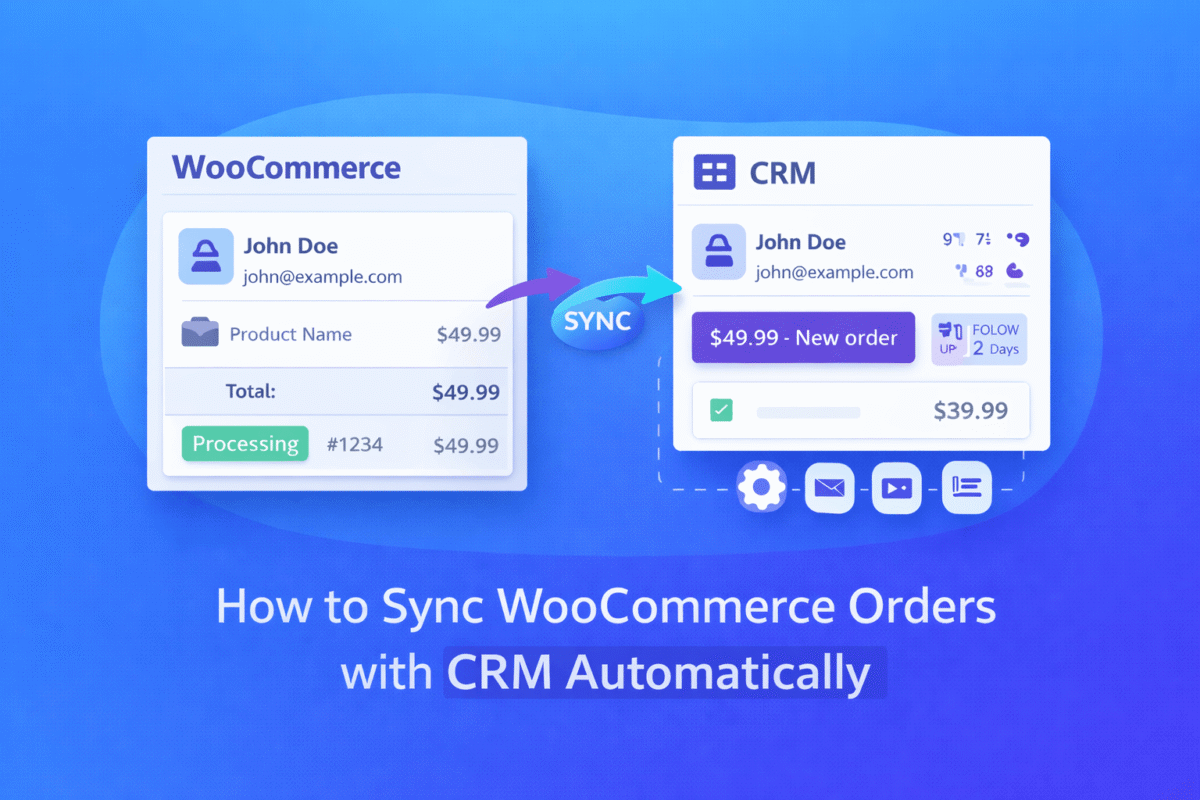
CRM integration eliminates these gaps. When you sync WooCommerce with CRM automatically:
- Every order creates a CRM contact instantly
- Customer purchase history flows into your CRM profiles
- You can automate email campaigns based on shopping behavior
- Sales teams get real-time alerts for high-value orders
For WooCommerce agencies managing 10+ stores, this automation saves 20+ hours monthly per client. For store owners, it directly increases conversion rates by enabling timely follow-ups.
Key Features to Look for in a CRM Integration Plugin
Not all WooCommerce CRM integration plugins work the same. Before choosing one, verify these 7 critical features:
1. Real-Time Sync (Not Batch Updates)
Modern plugins sync customer data instantly when orders occur. Avoid tools that update hourly or daily—delayed sync means lost sales opportunities.
2. Multi-CRM Support
The best CRM for WooCommerce stores connects to multiple platforms: Salesforce, HubSpot, Zoho CRM, Pipedrive, Insightly, and more. Don’t limit yourself to one CRM.
3. Bi-Directional Data Flow
Customer updates in CRM (like phone number changes) should sync back to WooCommerce. Bi-directional sync ensures data consistency across platforms.
4. No-Code Setup
You shouldn’t need developers. A good CRM connector for WooCommerce offers plug-and-play setup with pre-built templates for popular CRMs.
5. Order & Customer Data Mapping
The plugin must automatically map:
- Order ID → CRM opportunity
- Customer email → CRM contact email
- Purchase total → CRM revenue field
- Product details → CRM notes
6. Automation Rules
Advanced WooCommerce CRM automation lets you create rules like:
- “If order > $500, add to VIP segment”
- “If customer buys 3+ times, send thank-you email”
- “If cart abandoned, create CRM follow-up task”
7. Affordable Pricing
Premium plugins range from $49–$199/year. Avoid expensive enterprise solutions unless you process 10,000+ orders monthly.
Comparison: Why Modern CRM Connectors Win Over Old Tools
Legacy WordPress CRM plugins (like Jetpack CRM or basic WordPress CRM) have major limitations:
| Feature | Legacy Plugins | Modern CRM Connectors (2026) |
| Sync speed | Hourly/daily batches | Real-time instant sync |
| CRM options | 1–2 CRMs only | 10+ CRMs supported |
| Setup time | 2–4 hours (coding required) | 15 minutes (no-code) |
| Automation | Basic email only | Advanced rules + segmentation |
| Price | $99–$299/year | $49–$149/year |
| Support | Community forums only | Dedicated support + docs |
Modern WooCommerce CRM automation tools like WooCRMConnector win because they’re built specifically for eCommerce workflows, not generic WordPress use cases.
Benefits for Agencies & Store Owners
For WooCommerce Agencies
- Scale client management: Sync 20+ stores to one CRM dashboard
- Reduce manual work: Automate data entry for every client
- Increase retention: Clients see measurable ROI from automation
- Offer premium services: Bundle CRM setup as a $500–$1,000 add-on
For Store Owners
- Close more sales: Follow up on high-value orders within minutes
- Segment customers: Target repeat buyers with personalized offers
- Track revenue: See which marketing campaigns drive actual purchases
- Save time: Stop copying customer data manually
Real-World Use Cases: How CRM Integration Works in Practice
Use Case 1: High-Value Order Follow-Up
Scenario: A customer orders $1,200 worth of products.
Without CRM integration: Sales team sees the order 2 days later, misses follow-up window.
With CRM integration:
- Order instantly creates CRM opportunity
- Sales manager gets email alert
- Team calls customer within 30 minutes
- Conversion rate increases 25%
Use Case 2: Repeat Buyer Segmentation
Scenario: You want to reward customers who bought 3+ times.
Without CRM integration: Manually check order history for each customer (2–3 hours).
With CRM integration:
- Plugin auto-tags customers with 3+ purchases
- Automation sends exclusive discount email
- Repeat sales increase 18%
Use Case 3: WooCommerce HubSpot Integration for Marketing
Scenario: Run HubSpot email campaigns based on purchase behavior.
Without integration: Export CSV weekly, upload manually, segment poorly.
With WooCommerce HubSpot integration:
- Purchase data syncs automatically to HubSpot contacts
- Create segments: ” Bought >$500″, “Bought electronics”
- Send targeted campaigns with 40% higher engagement
Use Case 4: WooCommerce Zoho CRM Plugin for Sales Teams
Scenario: Sales team needs real-time order data in Zoho CRM.
With WooCommerce Zoho CRM plugin:
- Every order creates Zoho opportunity
- Customer details auto-populate
- Sales pipeline updates automatically
- Team closes deals 30% faster
How CRM Integration Improves Sales & Automation
CRM integration directly impacts three revenue metrics:
1. Lead Response Time
- Before: 24–48 hour response to new orders
- After: 15–30 minute response via CRM alerts
- Result: 35% higher conversion on hot leads
2. Customer Retention Rate
- Before: Generic email campaigns (5–8% engagement)
- After: Purchase-based segmentation (25–30% engagement)
- Result: 22% increase in repeat purchases
3. Sales Team Efficiency
- Before: 3–5 hours daily on manual data entry
- After: 0 hours (automated sync)
- Result: 20+ hours weekly saved for actual selling
Choosing the Best CRM Integration for Your WooCommerce Store
When evaluating plugins, ask these questions:
- Does it support my CRM? (Salesforce, HubSpot, Zoho, etc.)
- Is sync real-time or batched? (Choose real-time)
- What’s the setup time? (Should be <30 minutes)
- Are automation rules included? (Critical for scaling)
- What’s the pricing? (Avoid overpriced enterprise tools)
- Is there documentation? (Check [/docs] for setup guides)
- Do they offer integration support? (Test before buying)
For agencies and store owners needing reliable WooCommerce customer data integration, modern solutions like WooCRMConnector deliver the best balance of features, pricing, and ease of use.
FAQ: WooCommerce CRM Integration
Q1: What is the best CRM integration for WooCommerce in 2026?
The best CRM integration for WooCommerce depends on your CRM platform. For multi-CRM support with real-time sync, WooCRMConnector leads with support for Salesforce, HubSpot, Zoho CRM, Pipedrive, and 8+ more platforms.
Q2: How do I sync WooCommerce with CRM automatically?
Install a WooCommerce CRM integration plugin, connect your CRM via API keys, and map customer/order fields. Most plugins offer pre-built templates for popular CRMs—setup takes 15–30 minutes without coding.
Q3: Can I automate WooCommerce leads to CRM?
Yes. Modern WooCommerce CRM automation tools create CRM contacts instantly when orders occur. You can also set rules to automate lead segmentation, follow-up tasks, and email campaigns.
Q4: Which CRM works best with WooCommerce?
Top CRMs for WooCommerce include:
- HubSpot (best for marketing automation)
- Zoho CRM (best for sales teams)
- Salesforce (best for enterprise)
- Pipedrive (best for small businesses)
Use a CRM connector for WooCommerce that supports multiple platforms.
Q5: Is WooCommerce CRM integration free?
Basic plugins exist but lack real-time sync and automation. Premium WooCommerce CRM integration plugins range from $49–$149/year with full features. Check [/pricing] for transparent plans.
Q6: Do I need a developer to set up CRM integration?
No. Modern plugins offer no-code setup with visual field mapping. Check [/integration-guides] for step-by-step tutorials for your specific CRM.
Final Recommendation: Start CRM Automation Today
If you’re ready to stop manual data entry and start automating customer relationships, the best CRM integration for WooCommerce is a modern, multi-CRM connector with real-time sync.
WooCRMConnector delivers:
- ✅ Real-time sync for orders, customers, and leads
- ✅ 12+ CRM integrations (Salesforce, HubSpot, Zoho, Pipedrive, etc.)
- ✅ No-code setup in under 30 minutes
- ✅ Advanced automation rules for segmentation
- ✅ Affordable pricing from $49/year
Stop losing sales to delayed follow-ups. Automate your WooCommerce customer data integration today.
Your competitors are already automating. Don’t let manual work slow your growth.