The Complete Developer Guide: Prepared Statements, PDO, MySQLi, WordPress & More
To prevent SQL injection in PHP: always use prepared statements with parameterized queries via PDO or MySQLi — never concatenate user input directly into SQL strings. Additionally, validate all input using PHP filter functions, use least-privilege database users, disable SQL error output to users, and consider a Web Application Firewall (WAF) as a final defense layer. For WordPress developers, use $wpdb->prepare() for all custom queries.
Introduction: SQL Injection Is Still the #1 Web Vulnerability in 2026
SQL injection has appeared in the OWASP Top 10 vulnerabilities list every year since its creation. Despite decades of awareness, it remains one of the most frequently exploited vulnerabilities in PHP web applications worldwide. Why? Because it is caused by a fundamental coding pattern — mixing user-supplied data with SQL code — that is easy to do accidentally and can slip into any application when developers are moving fast.
The consequences are not theoretical. SQL injection attacks have been used to steal millions of user records, bypass authentication on financial systems, delete entire production databases, and exfiltrate sensitive data including passwords, credit card numbers, and personally identifiable information. For WooCommerce store owners and plugins for developers, the customer order data, payment details, and personal information in your database represent a serious liability if your queries are vulnerable.
This guide covers every defensive technique available to PHP developers in 2026 — from the essential (prepared statements) to the advanced (stored procedures, WAF integration, and security testing) — with complete, copy-paste-ready code examples for each.
OWASP Classification
SQL Injection is classified under OWASP A03:2021 — Injection. It is considered a critical severity vulnerability because successful exploitation can lead to full database compromise with relatively low attack complexity. Source: owasp.org/Top10/A03_2021-Injection/
How SQL Injection Works (The Full Attack Walkthrough)
Before understanding defenses, you need to understand the attack. SQL injection works because PHP code constructs a SQL query as a string and then sends that string to the database server. When user input is embedded directly into that string, an attacker can change the string’s meaning by injecting SQL syntax.
Step 1 — The Vulnerable Code
A login form that takes a username and password and checks them against the database:
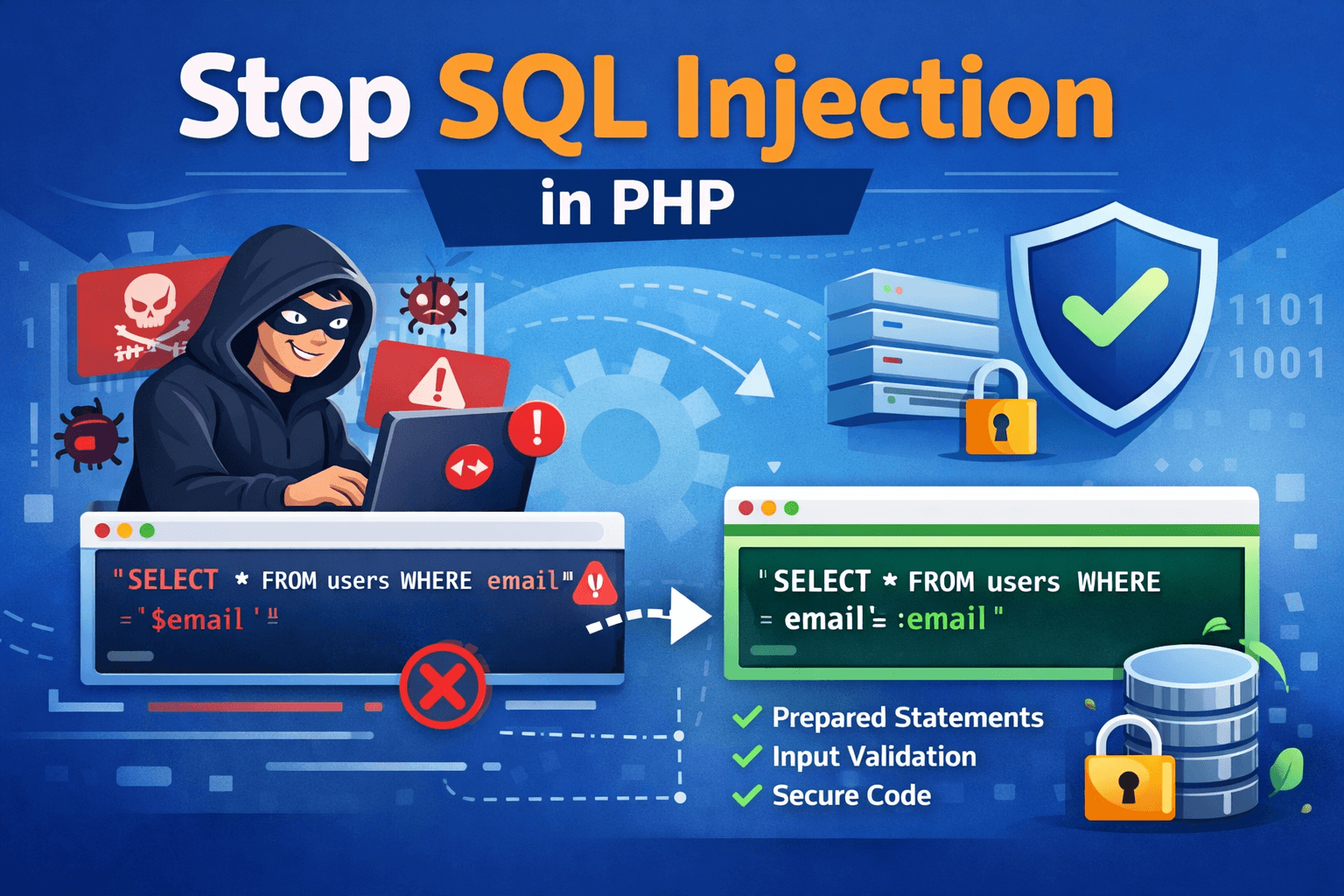
| // VULNERABLE — never do this$username = $_POST[‘username’];$password = $_POST[‘password’]; $query = “SELECT * FROM users WHERE username = ‘$username’ AND password = ‘$password'”; $result = mysqli_query($conn, $query); |
Step 2 — The Attacker’s Input
Instead of entering a real username, the attacker types:
| Username: ‘ OR ‘1’=’1Password: anything |
Step 3 — What Your Database Actually Receives
After PHP builds the string, the query that gets sent to MySQL is:
| SELECT * FROM usersWHERE username = ” OR ‘1’=’1’AND password = ‘anything’ |
The condition ‘1’=’1′ is always true. This query now returns every user in the database, and most PHP login scripts grant access based on the first row returned — giving the attacker admin access with no valid credentials.
Advanced Attack Vectors You Must Also Defend Against
| Attack Type | What It Does & Why Basic Escaping Fails |
| Second-Order Injection | Malicious input stored in the database (escaped on entry) is later retrieved and used in a second query without re-escaping. Escaping protects the insert; not the later SELECT. |
| Blind SQL Injection | Attacker infers database contents through true/false responses or time delays — no data is returned directly. Only prepared statements reliably block this. |
| UNION-based Injection | Appends a UNION SELECT to extract data from other tables. E.g., UNION SELECT username, password FROM admin_users — |
| Column/Table Name Injection | User-controlled column or table names cannot be parameterized. Requires strict allowlist validation. This is where even ‘correct’ prepared statement usage can fail. |
| LIKE Clause Injection | The % and _ wildcards in LIKE queries are not neutralized by prepared statements alone — they must be escaped separately using addcslashes(). |
Fix #1 — Prepared Statements with PDO (Recommended for All New PHP Projects)
WHAT THIS FIXES
Prepared statements send the SQL query structure and the user data to the database in two separate steps. The database receives the query template first, compiles it, and then receives the data values. No matter what characters the data contains, it can never alter the pre-compiled query structure.
Security Level: Prevents all standard SQL injection. OWASP recommended. PHP documentation recommended.
Complete PDO Connection Setup
| <?php// pdo_connect.php — store OUTSIDE your web root// Load credentials from environment variables, not hardcoded$host = getenv(‘DB_HOST’) ?: ‘localhost’;$dbname = getenv(‘DB_NAME’) ?: ‘your_database’;$user = getenv(‘DB_USER’) ?: ‘your_user’;$pass = getenv(‘DB_PASS’) ?: ‘your_password’; $dsn = “mysql:host=$host;dbname=$dbname;charset=utf8mb4”; $options = [ PDO::ATTR_ERRMODE => PDO::ERRMODE_EXCEPTION, PDO::ATTR_DEFAULT_FETCH_MODE => PDO::FETCH_ASSOC, PDO::ATTR_EMULATE_PREPARES => false, // use REAL prepared statements]; try { $pdo = new PDO($dsn, $user, $pass, $options);} catch (PDOException $e) { error_log(‘DB Connection Error: ‘ . $e->getMessage()); // log privately die(‘Database connection failed.’); // generic message to user} |
Critical Setting: Disable PDO Emulation Mode
Always set PDO::ATTR_EMULATE_PREPARES to false. When emulation mode is ON (the default in some environments), PDO simulates prepared statements in PHP rather than using the database’s native prepared statements — which can allow edge-case injections involving character sets and null bytes. With emulation OFF, your database server handles the actual parameter binding.
PDO SELECT — Named Placeholders (Recommended)
| // Named placeholders — more readable, reusable$stmt = $pdo->prepare( ‘SELECT id, username, email FROM users WHERE email = :email AND status = :status’);$stmt->execute([ ‘:email’ => $email, // user input — safely parameterized ‘:status’ => ‘active’,]);$user = $stmt->fetch(); |
PDO INSERT — Full Example
| $stmt = $pdo->prepare( ‘INSERT INTO orders (user_id, product_id, quantity, created_at) VALUES (:user_id, :product_id, :quantity, NOW())’);$stmt->execute([ ‘:user_id’ => (int) $userId, ‘:product_id’ => (int) $productId, ‘:quantity’ => (int) $quantity,]);$newOrderId = $pdo->lastInsertId(); |
PDO bindParam() — For Type-Specific Binding
| // bindParam binds by reference + enforces data type$stmt = $pdo->prepare(‘SELECT * FROM products WHERE id = :id AND price < :max_price’);$stmt->bindParam(‘:id’, $productId, PDO::PARAM_INT); // integer only$stmt->bindParam(‘:max_price’, $maxPrice, PDO::PARAM_STR); // string/decimal$stmt->execute();$products = $stmt->fetchAll(); |
Fix #2 — Prepared Statements with MySQLi
MySQLi is the correct choice when your codebase or hosting environment already uses MySQLi, or when you need MySQL-specific features not available in PDO. The security protection is equivalent to PDO.
MySQLi Connection with Error Handling
| <?phpmysqli_report(MYSQLI_REPORT_ERROR | MYSQLI_REPORT_STRICT); // throw exceptions try { $conn = new mysqli( getenv(‘DB_HOST’), getenv(‘DB_USER’), getenv(‘DB_PASS’), getenv(‘DB_NAME’) ); $conn->set_charset(‘utf8mb4’); // always set charset explicitly} catch (mysqli_sql_exception $e) { error_log(‘DB Error: ‘ . $e->getMessage()); die(‘Connection failed.’);} |
MySQLi SELECT — Positional Placeholders
| // ‘s’ = string, ‘i’ = integer, ‘d’ = double, ‘b’ = blob$stmt = $conn->prepare(‘SELECT * FROM users WHERE email = ? AND status = ?’);$stmt->bind_param(‘ss’, $email, $status); // two strings$stmt->execute();$result = $stmt->get_result();$user = $result->fetch_assoc();$stmt->close(); |
MySQLi INSERT Example
| $stmt = $conn->prepare(‘INSERT INTO customers (name, email, phone) VALUES (?, ?, ?)’);$stmt->bind_param(‘sss’, $name, $email, $phone); // three strings$stmt->execute();$newId = $stmt->insert_id;$stmt->close(); |
Fix #3 — WordPress: $wpdb->prepare() for Safe Custom Queries
If you are building a WordPress plugin, WooCommerce extension, or custom theme that interacts with the database directly, you must use WordPress’s built-in database API. $wpdb->prepare() is WordPress’s equivalent of PDO prepared statements — it parameterizes the query before passing it to the database.
WordPress Developer Alert
WordPress developers who skip $wpdb->prepare() and write raw SQL using $wpdb->query() with concatenated user input are creating SQL injection vulnerabilities in their plugins and themes. WordPress plugins undergo security audits by Patchstack and WPScan that specifically scan for this pattern.
$wpdb->prepare() — Basic Usage
| global $wpdb; // WRONG — direct concatenation$results = $wpdb->get_results( “SELECT * FROM {$wpdb->prefix}orders WHERE user_id = ” . $userId); // CORRECT — use $wpdb->prepare()$results = $wpdb->get_results( $wpdb->prepare( “SELECT * FROM {$wpdb->prefix}orders WHERE user_id = %d AND status = %s”, $userId, // %d = integer placeholder $status // %s = string placeholder )); |
$wpdb Placeholder Reference
| Placeholder | Data Type & Usage |
| %d | Integer — use for IDs, quantities, numeric values |
| %s | String — use for text, email, status values |
| %f | Float — use for prices, coordinates, decimal values |
| %i | Identifier — use for table/column names (added in WordPress 6.2+) |
| NEVER use %s for table/column names | Use %i (WordPress 6.2+) or a strict allowlist to control structure-level values |
WordPress Additional Defenses
• Use nonces (wp_create_nonce / wp_verify_nonce) to validate form submissions — prevents CSRF attacks that could trigger SQL operations
• Use current_user_can() to verify permissions before executing any data-modifying query
• Use sanitize_text_field(), sanitize_email(), absint() for input cleaning before passing to $wpdb->prepare()
• Never pass $_GET or $_POST values directly to $wpdb->prepare() without sanitization — $wpdb->prepare() prevents injection but not invalid data types
Fix #4 — Input Validation and Sanitization
Prepared statements protect the database layer. Input validation protects the application layer. Both are required — they defend against different things. Validation ensures that the data your application processes is the right type and format, reducing the attack surface even before queries are built.
PHP Filter Functions — Your First Line of Defense
| // Validate an email address — reject if invalid format$email = filter_var($_POST[’email’], FILTER_VALIDATE_EMAIL);if ($email === false) { die(‘Invalid email address.’); } // Validate an integer ID — reject anything non-numeric$userId = filter_var($_GET[‘id’], FILTER_VALIDATE_INT);if ($userId === false || $userId < 1) { die(‘Invalid user ID.’); } // Sanitize a text string — strip tags and special chars$username = filter_var($_POST[‘username’], FILTER_SANITIZE_SPECIAL_CHARS); // Cast to integer — zero risk of injection for numeric IDs$productId = (int) $_GET[‘product_id’]; // simplest and safest for integers |
Allowlist Validation for Dynamic Structure (Column/Table Names)
Prepared statements cannot parameterize table names, column names, or SQL keywords like ORDER BY direction. These must be validated against a strict allowlist — never passed directly from user input.
| // User wants to sort products by a column they choose$allowedColumns = [‘price’, ‘name’, ‘created_at’, ‘rating’];$allowedOrders = [‘ASC’, ‘DESC’]; $sortBy = $_GET[‘sort’] ?? ‘created_at’;$sortOrder = $_GET[‘order’] ?? ‘DESC’; // ALLOWLIST CHECK — reject anything not in the approved listif (!in_array($sortBy, $allowedColumns, true)) { $sortBy = ‘created_at’; }if (!in_array($sortOrder, $allowedOrders, true)) { $sortOrder = ‘DESC’; } // Now safe to interpolate into query structure$stmt = $pdo->prepare(“SELECT * FROM products WHERE category = :cat ORDER BY $sortBy $sortOrder”);$stmt->execute([‘:cat’ => $category]); |
Fix #5 — Stored Procedures as a Secondary Defense Layer
Stored procedures are pre-compiled SQL routines stored in the database itself. When called from PHP, user data is passed as parameters — separate from the procedure’s SQL logic. Combined with prepared statements, they provide a double layer of protection.
Creating a Stored Procedure in MySQL
| — Create this in MySQL Workbench or phpMyAdminDELIMITER //CREATE PROCEDURE GetUserByEmail(IN p_email VARCHAR(255))BEGIN SELECT id, username, email, created_at FROM users WHERE email = p_email — p_email is always treated as data LIMIT 1;END //DELIMITER ; |
Calling the Stored Procedure from PHP (PDO)
| $stmt = $pdo->prepare(‘CALL GetUserByEmail(:email)’);$stmt->execute([‘:email’ => $userEmail]);$user = $stmt->fetch(); |
Fix #6 — Least Privilege Database Users
Even a perfectly written application can have vulnerabilities introduced by a future developer, a third-party library, or an unknown edge case. The least privilege principle limits the damage if an injection does occur: your application database user should only have the permissions it actually needs — nothing more.
| — Create a restricted database user for your WooCommerce/PHP appCREATE USER ‘app_user’@’localhost’ IDENTIFIED BY ‘strong_random_password_here’; — Grant only what the application needsGRANT SELECT, INSERT, UPDATE ON your_database.* TO ‘app_user’@’localhost’; — Never grant these to application users:– DROP, DELETE (without WHERE), ALTER, CREATE, GRANT, FILE FLUSH PRIVILEGES; |
With a least-privileged user, a successful SQL injection attack cannot drop tables, alter the database structure, or read system files — dramatically limiting the potential damage of any vulnerability that slips through.
Fix #7 — Secure Error Handling (Never Expose SQL to Users)
SQL error messages are a goldmine for attackers. A message like ‘Table ‘users’ doesn’t exist’ or ‘Unknown column ‘admin’ in WHERE clause’ tells an attacker exactly what to probe next. Your application must never display raw SQL errors to end users.
PDO Error Handling — The Correct Pattern
| try { $stmt = $pdo->prepare(‘SELECT * FROM users WHERE id = :id’); $stmt->execute([‘:id’ => $userId]); $user = $stmt->fetch(); if (!$user) { // User not found — show generic message http_response_code(404); echo ‘User not found.’; exit; }} catch (PDOException $e) { // Log the real error privately — never display it error_log(‘[DB Error] ‘ . $e->getMessage() . ‘ in ‘ . $e->getFile() . ‘:’ . $e->getLine()); // Show a safe generic message to the user http_response_code(500); echo ‘Something went wrong. Please try again later.’;} |
PHP Configuration Settings for Production
| # In php.ini (or .htaccess on Apache) — PRODUCTION settingsdisplay_errors = Off ; Never show errors to usersdisplay_startup_errors = Offlog_errors = On ; Log errors to server log fileerror_log = /var/log/php_errors.log ; Path to your log fileerror_reporting = E_ALL ; Report all errors to the log |
Fix #8 — Handling LIKE Clauses and Wildcard Characters
Prepared statements protect against SQL injection in LIKE queries, but they do not neutralize the SQL wildcard characters % (match anything) and _ (match any single character). Without additional handling, users can trigger unintended full-table scans by searching for % alone.
| // User searches for: % (would match every row without this fix)$searchTerm = $_POST[‘search’]; // Escape LIKE wildcards BEFORE passing to prepared statement$safeTerm = addcslashes($searchTerm, ‘%_\\’); // escape %, _, and backslash $stmt = $pdo->prepare(‘SELECT * FROM products WHERE name LIKE :term’);$stmt->execute([‘:term’ => ‘%’ . $safeTerm . ‘%’]);$results = $stmt->fetchAll(); |
Fix #9 — Web Application Firewall (WAF) as a Defense Layer
A WAF is your last line of defense — it sits between the internet and your PHP application and blocks requests that match known attack patterns before they reach your code. A WAF does not replace secure coding practices but provides a safety net against zero-day vulnerabilities and configuration mistakes.
| WAF Option | What It Provides & Cost |
| Cloudflare WAF (Free/Pro) | Free tier blocks common SQLi patterns. Pro ($20/month) adds OWASP ruleset and custom rules. Best for most WooCommerce stores. |
| Cloudflare WAF (Business) | Full OWASP Core Rule Set, advanced rate limiting, bot management. For high-traffic stores. |
| ModSecurity (Server-Level) | Open-source WAF module for Apache/NGINX. Free, but requires server access and configuration knowledge. |
| Sucuri Firewall ($9.99/month) | WordPress/WooCommerce focused. Includes DDoS protection, malware scanning, and virtual patching. |
| Wordfence (WordPress Plugin) | Free WordPress firewall with SQL injection blocking rules. Checks requests before WordPress/WooCommerce code runs. |
Fix #10 — Testing Your Own Application for SQL Injection
You cannot secure what you cannot see. After implementing these defenses, test your application to verify they work. Use the following tools — all legitimate for testing your own code on servers you own or have authorization to test.
• SQLMap (sqlmap.org) — open-source automated SQL injection detection and exploitation tool. Run sqlmap -u ‘https://yoursite.com/page.php?id=1’ –dbs to test a URL parameter
• OWASP ZAP (zaproxy.org) — free web application security scanner with active SQL injection tests. Has a GUI and can integrate with CI/CD pipelines
• Burp Suite Community (portswigger.net/burp) — intercept and modify HTTP requests manually to test input fields for injection vulnerabilities
• WPScan (wpscan.com) — WordPress-specific vulnerability scanner that checks for known SQL injection vulnerabilities in plugins and themes
• Patchstack — automated vulnerability monitoring for WordPress plugins and themes, with alerts when new SQL injection vulnerabilities are discovered in your installed plugins
Quick Self-Test (Manual)
In any search or ID field on your site, enter a single quote character: ‘ If the page returns a database error or behaves unexpectedly, that field is likely vulnerable. If it returns a safe error message or no results, your parameterization is working correctly. Always test in a staging environment first.
Before vs. After: Complete Side-by-Side Code Comparison
Vulnerable Code (What NOT to Do)
| // VULNERABLE login check — DO NOT USE$username = $_POST[‘username’];$password = md5($_POST[‘password’]); // MD5 is also insecure — use password_hash() $sql = “SELECT * FROM users WHERE username=’$username’ AND password=’$password'”;$result = mysqli_query($conn, $sql);if (mysqli_num_rows($result) > 0) { echo ‘Login successful’;} |
Secure Code (What to Do)
| // SECURE login check using PDO + password_hash$username = filter_var($_POST[‘username’], FILTER_SANITIZE_SPECIAL_CHARS);$password = $_POST[‘password’]; // raw password for password_verify() try { $stmt = $pdo->prepare(‘SELECT id, username, password_hash FROM users WHERE username = :username’); $stmt->execute([‘:username’ => $username]); $user = $stmt->fetch(); if ($user && password_verify($password, $user[‘password_hash’])) { // Set session, redirect to dashboard $_SESSION[‘user_id’] = $user[‘id’]; header(‘Location: /dashboard’); exit; } else { echo ‘Invalid username or password.’; // generic message }} catch (PDOException $e) { error_log(‘Login error: ‘ . $e->getMessage()); echo ‘Something went wrong. Please try again.’;} |
Common Mistakes That Leave Your PHP Application Vulnerable
| Mistake | Why It Is Dangerous & The Correct Fix |
| Using mysqli_real_escape_string() as the only defense | Escaping can fail with certain character sets (GBK, Big5), edge cases, and does not protect query structure. It is a supplement, not a replacement for prepared statements. |
| PDO emulation mode ON (ATTR_EMULATE_PREPARES = true) | With emulation ON, PDO simulates prepared statements in PHP — opening edge-case vulnerabilities. Always set ATTR_EMULATE_PREPARES to false. |
| Casting to integer but still concatenating | (int)$_GET[‘id’] in the query string is safe, but mixing cast and string values creates confusion. Use parameterized queries consistently. |
| Using user input for column/table names with prepare() | Prepared statements cannot parameterize identifiers. Always use a strict allowlist for column/table names from user input. |
| Storing passwords with MD5 or SHA1 | These are hashing algorithms, not password hashing functions. Use PHP’s password_hash() with PASSWORD_BCRYPT or PASSWORD_ARGON2ID. |
| Connecting as root or an admin DB user | If injection occurs on a root-connected application, attackers can DROP databases, READ files, and GRANT themselves access. Use a minimal-permission application user. |
| Not disabling error display in production | SQL error messages tell attackers your database structure, table names, and column names — giving them a roadmap to attack. Set display_errors = Off in production. |
| Ignoring second-order injection | Sanitizing on write but not on read. Data stored in the database (even escaped on entry) can trigger injection when read back and used in a new query without parameterization. |
Conclusion: Secure Code Is Non-Negotiable for WooCommerce Developers
SQL injection is one of the oldest web vulnerabilities and one of the most dangerous. The good news is that it is also one of the most completely preventable — once you understand that the root cause is mixing SQL code with user data, the solution is simply to stop doing that.
Here is the priority order for implementing these defenses:
1. Switch all database queries to PDO or MySQLi prepared statements — this alone eliminates 95%+ of SQL injection risk
2. If you build WordPress plugins or themes, use $wpdb->prepare() for every custom query, no exceptions
3. Add input validation with PHP filter functions and allowlist checks for structural query elements
4. Create a least-privilege database user for your application — never use root
5. Configure production PHP error handling to log internally and show generic messages to users
6. Add a WAF (Cloudflare free tier or Wordfence) as a final defense layer
Test your application with a manual quote-injection test and periodic SQLMap or OWASP ZAP scans
FAQ
Q1: What is the best way to prevent SQL injection in PHP?
The best way to prevent SQL injection in PHP is to use prepared statements with parameterized queries via PDO or MySQLi. These send the SQL query structure and user data to the database separately — making it impossible for user input to alter the query logic, regardless of what characters it contains. For WordPress projects, use $wpdb->prepare() for all custom database queries.
Q2: Is PDO better than MySQLi for preventing SQL injection?
Both PDO and MySQLi provide equivalent SQL injection protection when used with prepared statements. PDO is generally recommended for new projects because it supports 12 different database drivers (not just MySQL), uses named placeholders that are more readable, and provides a more consistent API. MySQLi is the right choice if you are maintaining an existing MySQLi codebase or need MySQL-specific features like asynchronous queries. The security protection is identical when both are used correctly.
Q3: Can I rely on mysqli_real_escape_string() to prevent SQL injection?
No. mysqli_real_escape_string() should not be used as your primary SQL injection defense. It can fail under specific character set configurations (notably GBK and Big5 encodings used in some Asian language databases), does not protect against second-order injection, and does not protect structural SQL elements like column or table names. Use prepared statements with PDO or MySQLi as your primary defense. Use escaping only as an additional layer when prepared statements are genuinely not possible.
Q4: How do I prevent SQL injection in a WordPress plugin?
In WordPress plugins and themes, use $wpdb->prepare() for all custom database queries. Pass user input as separate parameters using %d (integer), %s (string), %f (float), or %i (identifier, available in WordPress 6.2+) placeholders rather than concatenating values into the query string. Also use WordPress sanitization functions (sanitize_text_field(), sanitize_email(), absint()) to clean input before passing it to $wpdb->prepare(), and verify user permissions with current_user_can() before executing data-modifying queries.
Q5: Do prepared statements prevent 100% of SQL injection attacks?
Prepared statements with parameterized queries prevent almost all standard SQL injection attacks. The known edge case where they can be bypassed involves injecting user-controlled column or table names — which prepared statements cannot parameterize. For these cases, use strict allowlist validation. The other edge case is PDO with emulation mode ON: disable emulation mode (PDO::ATTR_EMULATE_PREPARES = false) to use the database’s native prepared statements and eliminate this risk.
Q6: How do I test my PHP application for SQL injection vulnerabilities?
To test your own PHP application for SQL injection: manually enter a single quote (‘) in any text input field — if the page breaks or shows a database error, that field is likely vulnerable. For automated testing, use SQLMap (sqlmap.org) to test URL parameters, OWASP ZAP for comprehensive web application scanning, or Burp Suite Community Edition to intercept and modify requests manually. For WordPress specifically, use WPScan or Patchstack to check installed plugins and themes for known vulnerabilities.
Q7: What does OWASP say about SQL injection prevention in PHP?
OWASP (Open Web Application Security Project) classifies SQL injection under A03:2021 — Injection and recommends a defense-in-depth approach: use parameterized queries or prepared statements as the primary defense; use stored procedures as a secondary layer; validate all input using an allowlist approach; apply least privilege to database accounts; and disable error output to users in production. OWASP explicitly states that input escaping alone is not sufficient and should never be the primary defense against SQL injection.
Q8: Does using a framework like Laravel automatically prevent SQL injection?
Yes, when used correctly. Laravel’s Eloquent ORM and Query Builder automatically use parameterized queries for all standard database operations. However, SQL injection is still possible in Laravel if developers bypass the ORM by using DB::statement() or DB::select() with raw string concatenation instead of bound parameters. Even in Laravel, any time you write raw SQL, use parameterized bindings: DB::select(‘SELECT * FROM users WHERE email = ?’, [$email]) instead of embedding variables directly in the query string.