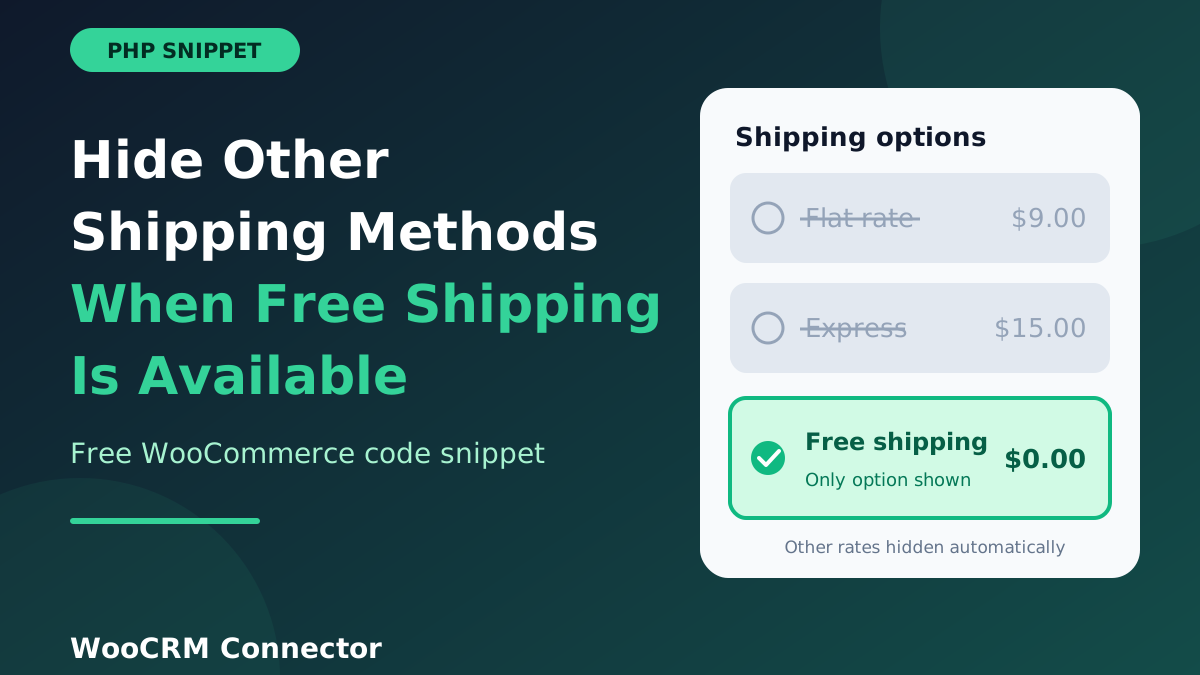
Picture a customer who has just spent enough to qualify for free shipping. They reach checkout and see three options: Flat rate, Express, and Free shipping. Most will pick the free one. Some will not, because the list looks cluttered or they are rushing, and they pay for delivery they did not need to pay for. You then get an email asking for a refund on shipping.
By default, WooCommerce lists every shipping method that matches the cart and the address, so free shipping appears next to your paid options. This guide shows how to hide other shipping methods when free shipping is available in WooCommerce, with a short PHP snippet, a way to keep Local Pickup visible, and a checklist for testing it.
Quick answer: hook into the woocommerce_package_rates filter, look for a rate whose method ID is free_shipping, and if you find one, return only that rate. If there is no free rate, return the list untouched.
Check first: does your WooCommerce version already do this?
Some recent WooCommerce releases are reported to include a built-in setting for this under WooCommerce → Settings → Shipping → Shipping settings, labelled something like “Hide shipping rates when free shipping is available”. The official developer documentation page on this topic still describes a code or plugin approach, so the setting may depend on your version. Open that screen on your own store. If the checkbox is there, tick it and skip the code. If not, keep reading.
Step 1: Make sure free shipping is set up correctly
The snippet only hides other rates when a free shipping rate actually exists for the cart. If your Free Shipping method is never offered, nothing will change. Go to WooCommerce → Settings → Shipping, open your shipping zone, and confirm that a Free shipping method is added and enabled, with the requirement you want (a minimum order amount, a coupon, or both). The WooCommerce Free Shipping guide explains each requirement option.
If you sell subscriptions, there are extra things to check on recurring carts. We cover them in our post on free shipping for WooCommerce Subscriptions.
Step 2: Add the snippet
Add this to a child theme’s functions.php, a small custom plugin, or a snippets plugin. Do not edit a parent theme directly, because an update will wipe your change.
<?php
/**
 * Show only free shipping when it is available for the cart.
 * Local Pickup stays visible by default (see the filter below).
 */
add_filter( 'woocommerce_package_rates', 'wcn_only_free_shipping_when_available', 100, 2 );

function wcn_only_free_shipping_when_available( $rates, $package ) {

    $free_rates = array();
    $kept_rates = array();

    // Method IDs that may stay visible next to free shipping.
    $keep_methods = apply_filters(
        'wcn_keep_shipping_methods',
        array( 'local_pickup', 'pickup_location' )
    );

    foreach ( $rates as $rate_id => $rate ) {

        $method_id = $rate->get_method_id();

        if ( 'free_shipping' === $method_id ) {
            $free_rates[ $rate_id ] = $rate;
        } elseif ( in_array( $method_id, $keep_methods, true ) ) {
            $kept_rates[ $rate_id ] = $rate;
        }
    }

    // No free shipping on offer: leave every rate as it was.
    if ( empty( $free_rates ) ) {
        return $rates;
    }

    // Free shipping first, then any pickup options we chose to keep.
    return $free_rates + $kept_rates;
}
How it works
- Priority 100 makes the filter run late, after most plugins have added their own rates.
- It sorts rates into two groups: free shipping rates, and rates you want to keep (Local Pickup). Everything else is dropped.
- If no free rate exists, it returns the original list, so customers who do not qualify still see your normal options. This is the part people often forget, and it prevents a checkout with no shipping at all.
- The
+operator joins the two arrays and keeps the rate IDs, which WooCommerce needs.
The two pickup IDs in the default list cover both the classic Local Pickup method and the pickup option used by the block-based checkout. The WooCommerce developer docs use the same method IDs in their own free shipping examples.
Variations you may need
Hide Local Pickup too
If you want only free shipping and nothing else, add one line below the snippet to empty the keep list:
add_filter( 'wcn_keep_shipping_methods', '__return_empty_array' );Apply the rule to one country only
Add this at the top of the function, right after the opening brace, to leave international orders alone. Change the country code to yours:
if ( 'US' !== $package['destination']['country'] ) {
    return $rates;
}
Keep an express option
Rates from some plugins use their own method IDs. To keep a paid express method visible, find its ID (see the troubleshooting table) and add it to the keep list:
add_filter( 'wcn_keep_shipping_methods', function ( $methods ) {
    $methods[] = 'your_express_method_id';
    return $methods;
} );
Step 3: Test it properly
- Clear cached shipping rates first. Go to WooCommerce → Status → Tools and use Clear transients under WooCommerce transients. The official docs recommend doing this before adding shipping snippets.
- Add products to the cart that stay below your free shipping threshold. You should see all your normal methods.
- Add more products so the cart goes above the threshold. Only free shipping (and pickup, if you kept it) should remain.
- Repeat both tests on the classic checkout and the block checkout if your store can use either, and on mobile.
- Try an address outside your free shipping zone to confirm normal rates still appear.
Troubleshooting
| Problem | Likely cause and fix |
|---|---|
| Other methods still show | Rates from a third-party plugin often use their own method ID instead of flat_rate. Log the IDs with error_log( print_r( array_keys( $rates ), true ) ); inside the function, then check wp-content/debug.log. |
| Nothing changes at all | Cached rates. Clear WooCommerce transients and empty the cart. Also confirm free shipping is really available for the cart you are testing. |
| Local Pickup disappeared | Your pickup method uses a different ID. Add it to the keep list with the wcn_keep_shipping_methods filter. |
| Customers see no shipping options | The rule should never run without a free rate. Check that no other snippet removes rates, and that the free shipping rate is not being hidden by a second filter. |
| White screen after adding code | A copy and paste error, usually a missing bracket or a stray character. Remove the snippet, turn on WP_DEBUG, and re-add it. A snippets plugin catches this automatically. |
| Double handling with a plugin | If you also use a shipping plugin that hides rates, turn off one of the two so they do not conflict. |
When a plugin is the better choice
Code is fine when your rule is simple. If you need conditions such as shipping class, user role, cart weight, or product category, the number of if-statements grows fast and is hard to maintain. The WooCommerce docs point to premium shipping extensions for those cases. Use the snippet for the common job (free beats everything else) and a plugin when the rules get complicated.
Connect shipping to the rest of your store
- Learn how free shipping works with WooCommerce Subscriptions before you promise it on renewals.
- Tell customers when their order ships with WooCommerce WhatsApp order notifications.
- Send order and shipping data to your other tools by sending WooCommerce order data to a webhook.
- Keep customer records in one place by learning how to sync WooCommerce orders with your CRM.
- Find more copy-paste code in our free WooCommerce snippets library.
Frequently asked questions
How do I hide other shipping methods when free shipping is available in WooCommerce?
Check whether your WooCommerce version has a built-in setting under Shipping settings. If it does not, use a woocommerce_package_rates filter that returns only the rate with the method ID free_shipping whenever one exists.
Will customers still see paid shipping if they do not qualify for free shipping?
Yes. The snippet leaves the rate list alone when no free rate is available, so only qualifying carts are affected.
Does this work with the WooCommerce block checkout?
The filter runs on the server when WooCommerce calculates rates, so it should apply to both the classic and block checkout. Test both, as themes and extensions can change what customers see.
How do I keep Local Pickup visible with free shipping?
Leave the default keep list in place. It includes both Local Pickup method IDs. To add other methods, use the wcn_keep_shipping_methods filter.
Can I hide shipping methods for only one country or zone?
Yes. Read $package['destination']['country'] at the top of the function and return early for countries you do not want to change.
Is it safe to add this code to a live store?
Test on a staging site first and keep a backup. Use a child theme or a snippets plugin, so a mistake does not take down the whole site.
Wrap-up
One short filter turns a cluttered checkout into a clear one: qualify for free shipping, see free shipping. Add the snippet, test it above and below your threshold, and keep Local Pickup if you offer it. If you want more ready-made code like this, browse the rest of our WooCommerce snippets or the Hook and Filters WooCommerce Bundle, and see how our WooCommerce CRM connectors send those orders to your CRM.